
Contents
- 1 Introduction
- 1.0.1 1. Fight In A Supermarket Script – Loop Cash, Desync, Speed Boost Undetected
- 1.0.2 2. Fight In A Supermarket Tora Hub Script – Kill Aura, Cash Collect, Stun Aura Undetected
- 1.0.3 3. Fight In A Supermarket Script – Cash Farm, Kill Aura, Speed Boost Undetected
- 1.0.4 4. Fight In A Supermarket Rift Hub Script – Auto Farm, God Mode, Teleport Undetected
- 1.0.5 5. Fight In A Supermarket Hackman Hub Script – Auto Farm, Teleports, Auto Attack Undetected
- 1.0.6 6. Fight In A Supermarket Alchemy Hub Script – Auto Farm, Perfect Hits, Auto Shop Undetected
- 1.0.7 7. Fight In A Supermarket Lunor Hub Script – Infinite Cash, Auto Farm, Fast Attack Undetected
- 1.0.8 8. Fight In A Supermarket Script – Auto Fight, Auto Pickup, Freeze Self Undetected
- 1.1 What is Fight In A Supermarket?
- 1.2 Why Use a Script in Fight In A Supermarket?
- 1.3 Popular Features
- 1.4 How to Install and Use Scripts
- 1.5 Script Use to Avoid Bans
Introduction
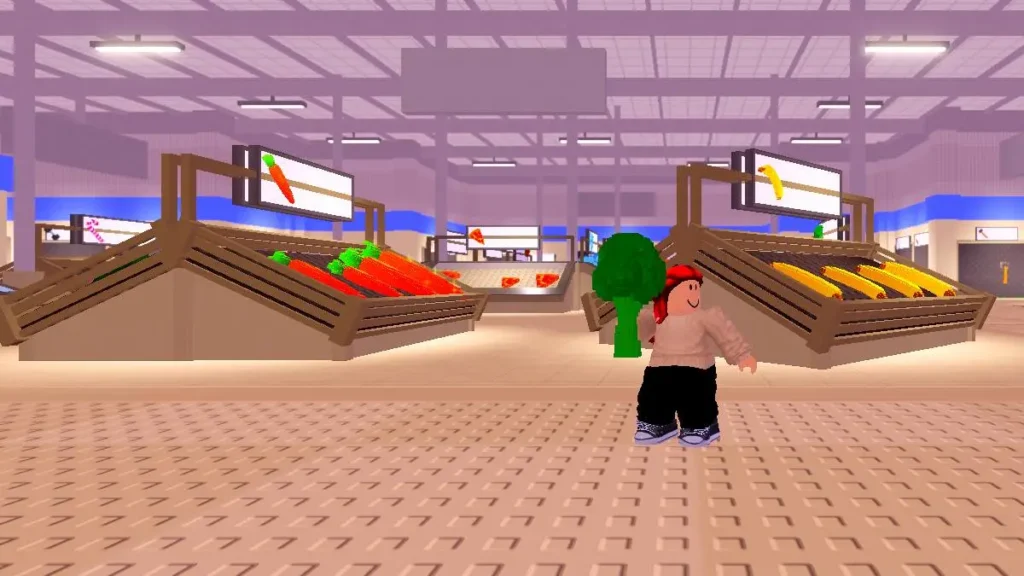
Fight In A Supermarket is one of the most chaotic and exciting Roblox games where players scramble through supermarket aisles, collecting items, cash, and fighting rivals to dominate the game. This article dives deep into the Fight In A Supermarket Roblox script–a powerful tool that enhances gameplay by automating tasks like infinite money, kill aura, and item collection. Whether you’re new to the game or looking to level up your skills, this guide covers everything from how to use the script, its best features, safety tips, and strategies to maximize your fun and gains. If you’re a Roblox player wanting an edge in Fight In A Supermarket, this article will equip you with all you need to know.
Check Out : Bike Of Hell Script
1. Fight In A Supermarket Script – Loop Cash, Desync, Speed Boost Undetected
loadstring(game:HttpGet("https://raw.githubusercontent.com/RedunzFR/-Fight-in-a-supermarket/refs/heads/main/XScripts"))()2. Fight In A Supermarket Tora Hub Script – Kill Aura, Cash Collect, Stun Aura Undetected
loadstring(game:HttpGet("https://raw.githubusercontent.com/gumanba/Scripts/refs/heads/main/FightinaSupermarket", true))()3. Fight In A Supermarket Script – Cash Farm, Kill Aura, Speed Boost Undetected
loadstring(game:HttpGet("https://raw.githubusercontent.com/imyourlio/Mercury/main/loader.luau"))()4. Fight In A Supermarket Rift Hub Script – Auto Farm, God Mode, Teleport Undetected
loadstring(game:HttpGet("https://rifton.top/loader.lua"))()5. Fight In A Supermarket Hackman Hub Script – Auto Farm, Teleports, Auto Attack Undetected
script_key="PUT YOUR KEY HERE";
loadstring(game:HttpGet("https://hackmanhub.pages.dev/loader.txt"))()
6. Fight In A Supermarket Alchemy Hub Script – Auto Farm, Perfect Hits, Auto Shop Undetected
loadstring(game:HttpGet("https://getalchemy.net/r"))()7. Fight In A Supermarket Lunor Hub Script – Infinite Cash, Auto Farm, Fast Attack Undetected
loadstring(game:HttpGet("https://lunor.dev/loader"))()8. Fight In A Supermarket Script – Auto Fight, Auto Pickup, Freeze Self Undetected
loadstring(game:HttpGet(""))()What is Fight In A Supermarket?
Fight In A Supermarket is a popular PvP Roblox game where players race through supermarket aisles collecting various items like food, tools, and weapons to purchase and fight opponents. The gameplay centers around racking up as much cash as possible by strategically picking up loot and defeating rival players while avoiding losing money upon death. Key mechanics include attacking others, finding powerful weapons like bats or chainsaws, and managing resources in a chaotic store environment. This unique mix of shopping chaos and PvP makes the game fast-paced and engaging for Roblox fans who enjoy action and strategy.
Why Use a Script in Fight In A Supermarket?
Using a script in Fight In A Supermarket automates many repetitive or challenging tasks, enhancing your gaming efficiency and enjoyment. Scripts can provide infinite money, automatically attack nearby players, and highlight valuable items to loot for quick progress. This gives users a distinct advantage over manual play, especially in a highly competitive environment where fast decision-making is crucial. The benefits extend to speeding up cash collection, increasing survival chances with kill aura features, and overall leveling up gameplay with less grind. However, using scripts responsibly and safely is important to avoid penalties.
Popular Features
Most scripts for Fight In A Supermarket include:
- Infinite Money and Auto Farming: Automatically collects cash without constant player input so you can buy powerful items faster.
- Kill Aura: Automatically attacks any nearby players, helping you win fights without manual combat.
- Item ESP (Extrasensory Perception): Highlights rare or valuable items through walls and shelves so you never miss important loot.
- Speed Hacks and NoClip: Moves your character faster and sometimes allows passing through obstacles for quicker navigation.
These features combined make scripts powerful tools to dominate the supermarket battlefield, turning you into the richest and most formidable player on Roblox.
How to Install and Use Scripts
To use scripts effectively, you first need a trusted exploit tool compatible with Roblox. Popular options include Synapse X and Krnl. Once you have an executor, simply copy the script code from a reliable source, paste it into the executor’s interface, and run it while in-game. Always remember to buy items before checking out, as improper use may lead to glitches. For best results, run scripts in the correct game mode and stay updated with the latest script versions. Safety tips include avoiding suspicious websites and using scripts from reputable communities to reduce risk of malware.
Script Use to Avoid Bans
Roblox strictly enforces anti-cheating policies, so using scripts involves inherent risks. To avoid bans, players should use scripts that mimic natural gameplay behavior, avoiding nonstop automation that is easy to detect. Using stealth features in scripts, periodically disabling automation, and switching accounts can help reduce detection. Moreover, playing moderately and not exploiting scripts aggressively can extend script usability. Always stay informed of Roblox’s terms of service updates and cease use if detection risk increases.
Top Script Sources and Communities
Reliable script repositories like ARCEUS X provide trusted scripts for Fight In A Supermarket. Developer forums often discuss the latest script updates, share code snippets, and offer guidance on script execution and safety. Engaging with these communities helps players get quality scripts and support, ensuring a better experience. Joining Discord channels related to Roblox scripting also connects you with expert players who share tips on making the most of the Fight In A Supermarket scripts.
Advanced Tips to Dominate Using Scripts
Maximize the benefit of scripts by combining automation with smart player tactics. Use a script to gather cash quickly but always stay alert for stronger opponents. Timing your attacks, choosing when to auto-farm versus actively fighting, and learning item spawn patterns can multiply your success. Scripts with customizable settings allow you to adjust aggression, item collection range, and speed to suit different game phases. With practice, you can balance script power and personal skill to become unbeatable in the supermarket chaos.
Legal and Ethical Considerations
While scripts enhance gameplay, they violate Roblox’s terms of service and carry risks of account suspension or banning. Players should weigh the benefits against these risks and consider the ethical implications of gaining unfair advantages. Alternatives like practicing manual skills, joining Roblox events, or trading within the community offer legitimate progress routes. Responsible script use includes not harming other players’ experiences and avoiding public bragging about exploits to maintain fair play spirit.
Image Concepts
- Game Layout with Script Features Overlay
Visual: A supermarket map showing item spawn points, player locations, and script features like kill aura range and ESP highlights.
Alt text: “Fight In A Supermarket Roblox script showing kill aura range and item ESP highlights in game map.” - Step-by-Step Script Installation Guide
Visual: Infographic showing how to download an executor, paste the script, and execute it in Roblox.
Alt text: “Guide to install and run Fight In A Supermarket Roblox script with executor software.” - Comparison of Script Features
Visual: Chart comparing popular script features (infinite money, kill aura, speed hack) with benefits and risks.
Alt text: “Comparison chart of Fight In A Supermarket Roblox script features and their gameplay benefits.”
Quick Takeaways
- Fight In A Supermarket is a fast-paced Roblox PvP game mixing shopping and combat.
- Scripts provide infinite money, kill aura, item ESP, and other automation tools to enhance gameplay.
- Using scripts requires trusted executors and careful execution to avoid Roblox bans.
- Trusted script communities and repositories offer reliable script sources and updates.
- Combining scripts with smart player strategies maximizes success and enjoyment.
- Script use carries ethical and legal risks; responsible use is advised.
- Always stay updated on script safety, game patches, and Roblox policies.
FAQs
Q1: Can I use Fight In A Supermarket scripts on any Roblox device?
A1: Scripts generally require a PC and a compatible executor, so they may not work on mobile or console versions.
Q2: Are Fight In A Supermarket scripts safe to use?
A2: Scripts from trusted sources are usually safe, but downloading from unknown sites risks malware and account bans.
Q3: How do kill aura scripts work in Fight In A Supermarket?
A3: Kill aura automatically attacks nearby players, increasing your chance to win fights without manual effort.
Q4: Can I get banned for using Fight In A Supermarket scripts?
A4: Yes, Roblox has strict anti-cheat rules; improper script use can lead to warnings or permanent bans.
Q5: Where can I find the latest Fight In A Supermarket scripts?
A5: Popular repositories like ScriptBlox, Rscripts.net, and Roblox scripting Discord groups often share updated scripts.

